
Digital Hall of Fame

Every honoree, record, and championship team, on one touchscreen visitors stop to explore. We design, build, and install interactive Hall of Fame displays for schools and universities, then keep them current year after year.

Your school's whole history, on one screen

Trophy cases fill up and plaques fade, and over the years the names on them get lost. A Digital Hall of Fame keeps every inductee, team, and record in one place, in your colors, ready for anyone who walks by.

Solymar Digital supplies the screen, designs it around your brand, loads your history, and installs it. Then we keep it current, so your staff never has to touch a line of code.

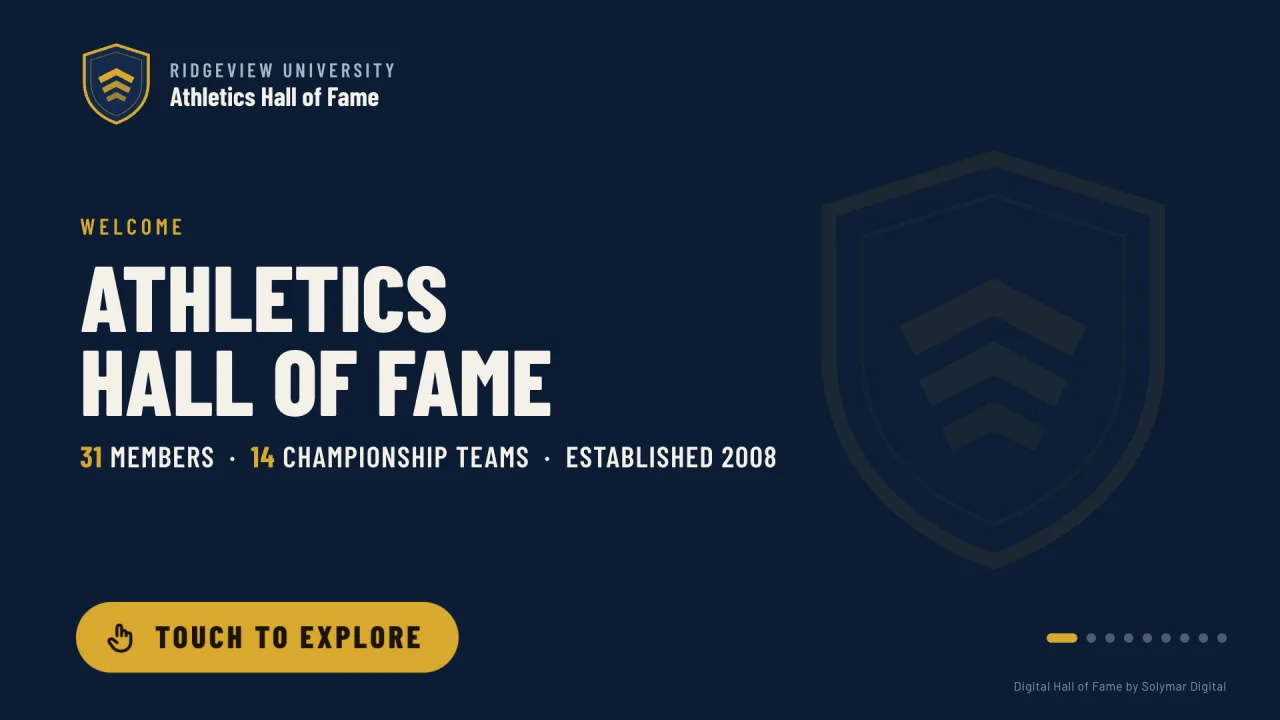
The welcome screen of the Ridgeview University Athletics Hall of Fame demo: the school crest, 31 members, 14 championship teams, and a Touch to explore button. (opens in a new tab)
The live demo, built for Ridgeview University, a fictional school. Try it yourself (opens in a new tab) (best on a laptop or desktop).

What's included

Everything you need, from the screen to the stories.

Designed around your school

Built in your school colors, with your logo and mascot.

Hall of Fame profiles

A photo, bio, honors, career stats, and a quote for each inductee.

Your full history

Induction classes, championship teams with their coaching staffs, and your program record book.

Search

Visitors find anyone by name, sport, hometown, or year.

A welcome loop

When no one is using the screen, it rotates through featured honorees to draw people in.

Within everyone's reach

Navigation sits along the bottom of the screen, where it can be reached from a wheelchair.

Behind the screen

  • Commercial-grade hardware

    A multi-touch display and a BrightSign media player, built to run all day, every day.

  • No IT burden

    It runs on its own, with no connection to your school's network. Add network access whenever you want remote updates.

  • Installation and training

    We install the display and show your staff how to send in updates.

  • The first year of care

    Content updates and support, included.

Two ways to get started

Each one arrives designed, loaded with your history, installed, and with its first year of care.

Interactive Kiosk

Best value

A wall-mounted touchscreen for a lobby, a hallway, or the wall next to your trophy case.

55" commercial multi-touch display

Starting at

$9,500 for the first year

Then $1,200 a year for the care plan

Includes design, content setup, installation, and the first year of care. We'll quote your space after a short call.

  • Best for lobbies, hallways, and trophy-case areas
  • ADA-height wall mount
  • Up to 200 Hall of Fame profiles
  • Highlight videos (you supply them)
  • Admissions section available as an add-on
  • Care plan update at the end of each school year

Signature Wall

A showpiece touchscreen for your main entrance or athletic center.

65" commercial multi-touch display

Starting at

$12,500 for the first year

Then $1,200 a year for the care plan

Includes design, content setup, installation, and the first year of care. We'll quote your space after a short call.

  • Best for main entrances, athletic centers, and new facilities
  • Heavy-duty wall mount
  • Up to 200 Hall of Fame profiles
  • Highlight videos (you supply them)
  • Admissions section for campus visitors, included
  • Care plan update at the end of each school year

Both use a commercial 4K multi-touch display built to run all day, every day, and a BrightSign media player, with installation and staff training included. Manufacturer warranties: 5 years on the media player and 3 years on the display. Prices don't include electrical work, wall preparation, or internet and network setup. We're happy to coordinate those with your facilities and IT teams.

The care plan

The first year is included with either display, then it's $1,200 a year for either one. Both get the same plan: most updates arrive together at the end of the school year.

  • An update at the end of each school year with your new induction class, championships, and season records
  • Small corrections during the year, like a misspelled name or a new photo. Bigger mid-year changes are quoted separately.
  • Remote updates and monitoring once the display is connected to the internet, so we often spot a problem before you do
  • Warranty coordination if the hardware needs repair
  • Priority phone and email support

Schedule a call

Add-ons

Extras for schools with more history to tell, an older archive to bring in, or more than one screen to fill.

  • Admissions section for the Interactive Kiosk (included with the Signature Wall): campus life, fast facts, and key dates with scan-to-register QR codes
  • A floor-standing kiosk enclosure instead of a wall mount
  • Additional profiles beyond 200
  • Photo scanning and yearbook digitization
  • A second screen running the same content

How it works

Your display can be installed in as little as 4 weeks once we have your content.

Try the live demo (opens in a new tab)

  1. Discovery and site visit

    We learn what you want to celebrate and look at the spot where the screen will go.

  2. Design

    You review screens built around your colors and logo, with one round of revisions included.

  3. Content

    You send names, photos, and records in our spreadsheet. We handle the data entry and formatting.

  4. Build and test

    We load your history and test everything on the actual hardware before it reaches campus.

  5. Installation and training

    We install the display and show your staff how updates work.

  6. Ongoing care

    At the end of each school year, send us your new inductees and records, and we update the display. Small corrections in between are included.

Digital Hall of Fame questions

How much does a digital Hall of Fame cost?

The Interactive Kiosk starts at $9,500 for the first year and the Signature Wall at $12,500, each covering the touchscreen, design, content setup, installation, and a year of care. After that, the care plan is $1,200 a year for either one. Your final quote depends on your space. Electrical work, wall preparation, and network setup aren't included.

Can we use touchscreens we already have?

Yes, as long as it's a touchscreen that works with a BrightSign media player. Visitors tap to explore, so a regular display won't do. Send us the make and model, and we'll confirm it's compatible before you commit. Using a screen you already own means you skip the cost of a new display.

How long does it take to get our display installed?

As little as 4 weeks once we have your content. Gathering names, photos, and records is usually what sets the pace, so you fill in one spreadsheet and we handle the data entry and formatting. Everything is tested on your actual hardware before it reaches campus.

Does it have to connect to our school's network?

No. The display runs on its own, without a connection to your school's network, so there's nothing for your IT team to set up on day one. Add network access whenever you want remote updates, and we'll coordinate the details with your IT staff.

What do we need to provide?

Names, photos, and records, sent in our spreadsheet, plus any highlight videos you'd like to show. If your history lives in old yearbooks and binders, we can scan and digitize your photos, priced per image.

Can visitors in a wheelchair use the display?

Yes. All navigation sits along the bottom of the screen, within reach from a wheelchair, and the Interactive Kiosk comes with an ADA-height wall mount. Search helps too: visitors can find anyone by name, sport, hometown, or year instead of scrolling through long lists.

Ready to talk about your school?

We'll walk you through the options and put together a quote for your space. It starts with a 30-minute call.

or email hello@solymardigital.com